> For the complete documentation index, see [llms.txt](https://support.sayprimer.com/primer/llms.txt). Markdown versions of documentation pages are available by appending `.md` to page URLs; this page is available as [Markdown](https://support.sayprimer.com/primer/reviewing-performance/conversion-notifications.md).
# Conversion Notifications
#### Notification Channels
You can stay informed in two ways:
* **Slack:** Connect Slack to receive daily updates highlighting your most relevant website visits and form submissions.
* **Email:** Automatically receive a weekly summary of website activity, including form submissions and top visitor insights.
Slack helps your team stay aligned in real time, while the email digest gives a complete overview at the end of each week.
***
#### Slack Notifications
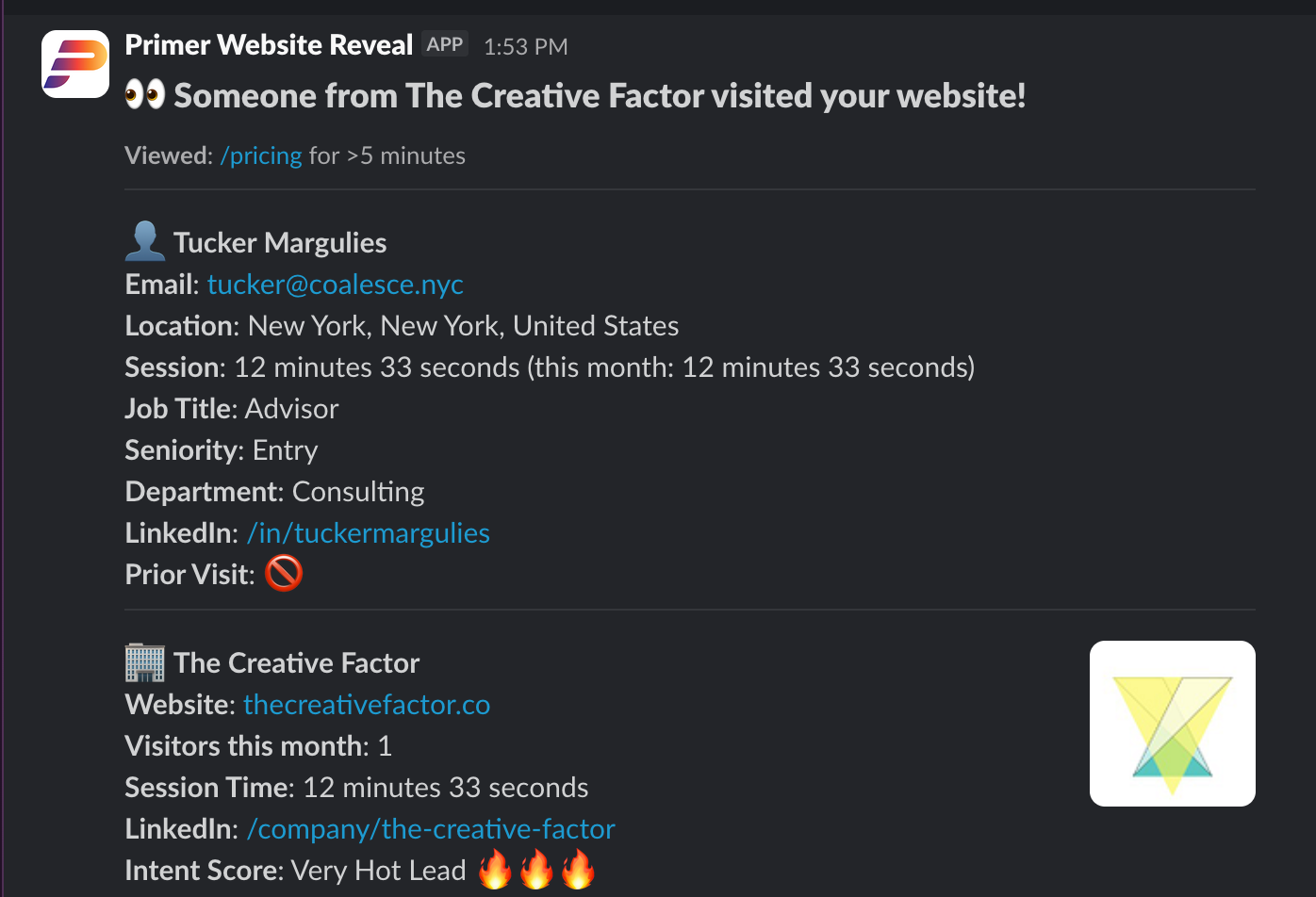
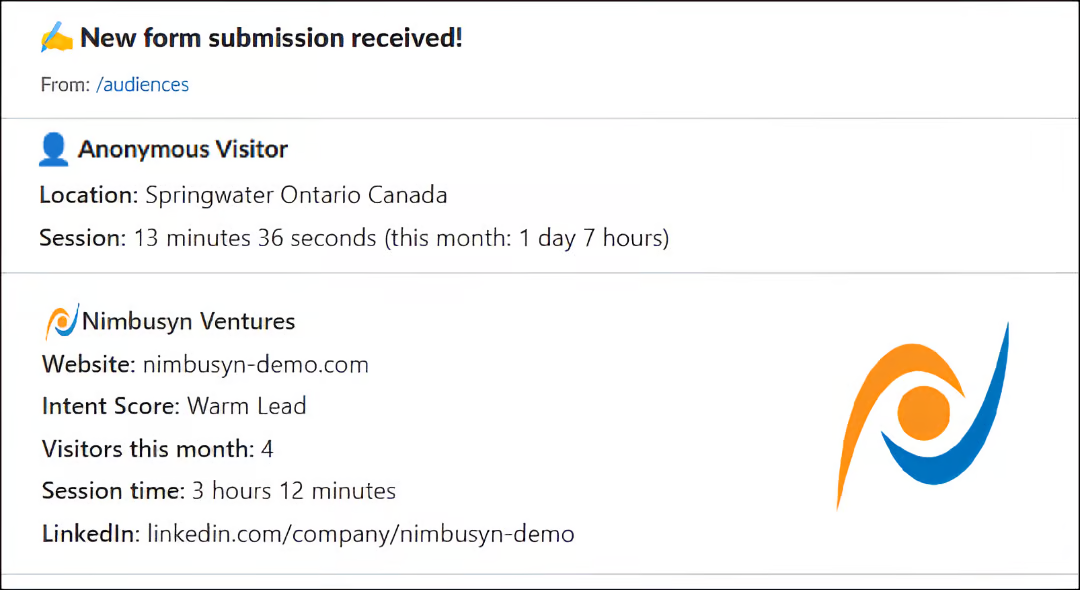
Slack notifications are sent when website visitors are either de-anonymized or submit a form on your site.
Each notification includes:
* Activity details: Page(s) viewed, visit time, and duration
* Visitor insights: Role, seniority, and location (when available)
* Company details: Company name, website, location, total visits, and session time
* Intent score: How engaged the company has been recently
* Engagement patterns: See how often a company or visitor returns and which pages draw the most attention
* Quick links: Direct access to view more insights in your Primer dashboard
If a visitor’s details aren’t available due to privacy rules, you’ll still see company-level information and their website activity summary.
* **U.S. visitors (Americas):** When possible, you’ll see contact-level details — such as name, email, job title, and location.
* **Outside the U.S.:** Visitors are anonymized. If the visitor is located **outside the US** (for example: Canada, EU, UK, etc.), personal identifiers such as name and email are intentionally hidden or blurred.
***
#### Email Notifications
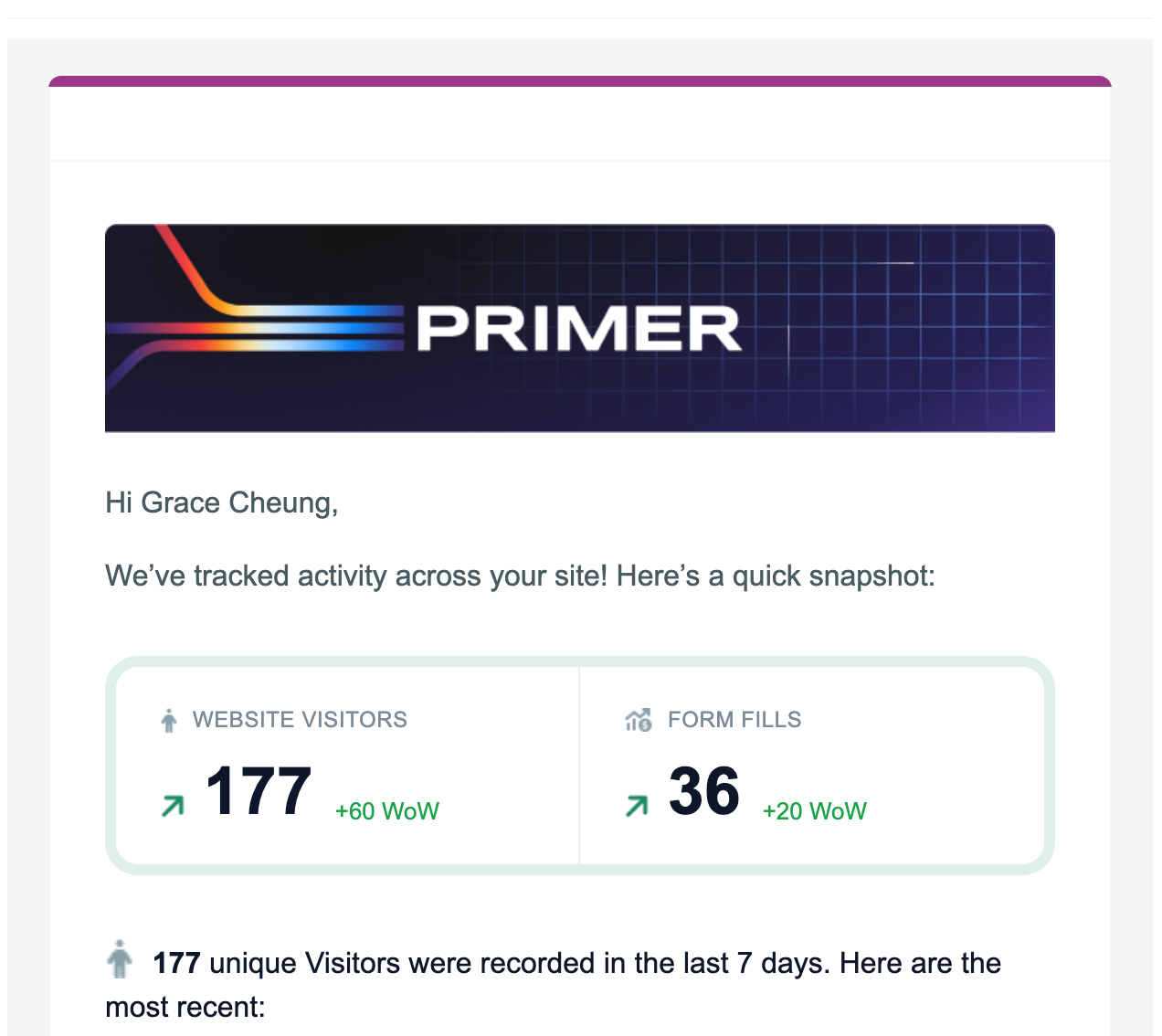
Primer sends **weekly email summaries** with key website and conversion activity.
Each email includes:
* **Revealed Visitors:** Total revealed visitors for the week with week-over-week change
* **Form Fills:** Total form submissions with week-over-week change
* **Recent Activity:** A sample of recent revealed visitors (company, visit duration, UTM) and recent form fills
Use email notifications for a quick pulse check or to share activity with stakeholders. For deeper analysis and action, click through to the **Overview**.
***
#### Managing Your Notifications
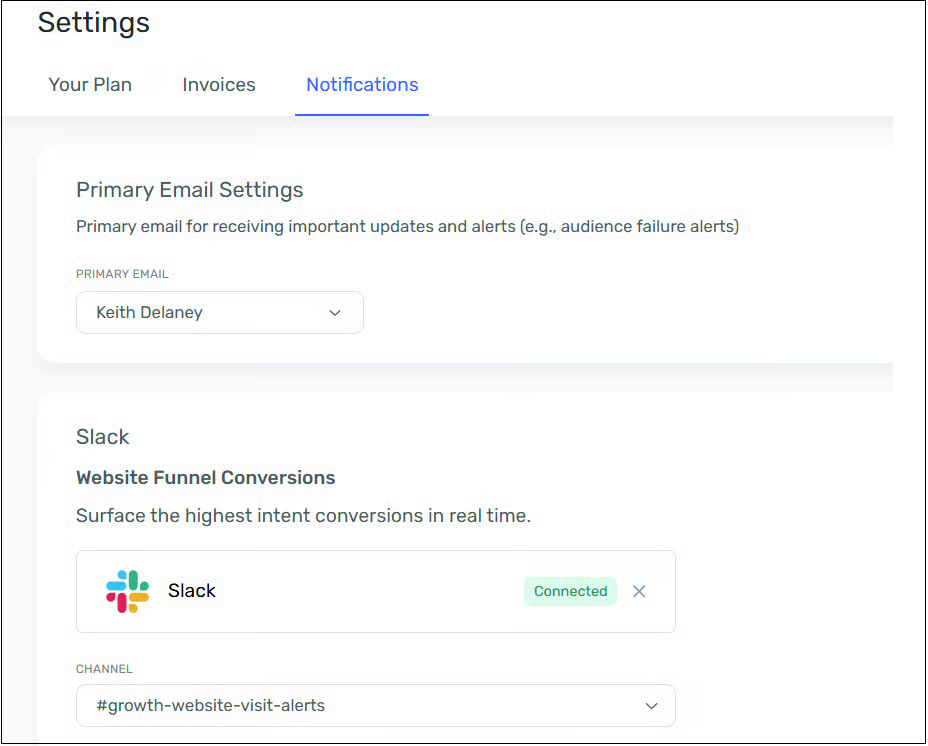
* Go to [Settings → Notifications ](https://my.sayprimer.com/settings?tab=Notifications)in your Primer dashboard.
* Connect Slack to receive daily visitor updates — you’ll automatically get weekly email summaries too.
⚠️ **Slack Admin Access May Be Required**\
Many companies restrict who can install new Slack apps. If your workspace requires admin or owner approval, you’ll need to [invite a Slack Workspace Admin or Owner ](https://support.sayprimer.com/primer/managing-your-account/invite-a-user-to-your-primer-account)to Primer to complete the installation.
***
#### FAQs
**Q: Are these notifications real-time?** Not immediately — they’re sent in batches (daily for Slack, weekly for email) to keep things focused and prevent overload.
**Q: Can I filter or turn off certain notifications?** Yes, you can adjust your preferences in Settings → Notifications, including quiet hours or digest mode.
**Q: What if I don’t see visitor details?** Some visitors may remain anonymous due to privacy regulations (especially outside the U.S.). You’ll still see company-level data for context.
**Q: How can I disable website text and link previews?** Text and link previews controlled by an individual's Slack preferences. To disable them:
1. Click your profile picture > Preferences.
2. Go to Messages & media.
3. Under "Inline media & links," uncheck boxes for "Show images and files from linked websites" and "Show text previews of linked websites".
---
# Agent Instructions
This documentation is published with GitBook. GitBook is the documentation platform designed so that both humans and AI agents can read, navigate, and reason over technical content effectively. Learn more at gitbook.com.
## Querying This Documentation
If you need additional information that is not directly available in this page, you can query the documentation dynamically by asking a question.
Perform an HTTP GET request on the current page URL with the `ask` query parameter, and the optional `goal` query parameter:
```
GET https://support.sayprimer.com/primer/reviewing-performance/conversion-notifications.md?ask=&goal=
```
`ask` is the immediate question: it should be specific, self-contained, and written in natural language.
`goal` is optional and describes the broader end goal you are ultimately trying to accomplish on behalf of the user. GitBook uses it to tailor the answer towards what is most useful for that goal.
The response will contain a direct answer to the question and relevant excerpts and sources from the documentation.
Use this mechanism when the answer is not explicitly present in the current page, you need clarification or additional context, or you want to retrieve related documentation sections.