> For the complete documentation index, see [llms.txt](https://support.sayprimer.com/primer/llms.txt). Markdown versions of documentation pages are available by appending `.md` to page URLs; this page is available as [Markdown](https://support.sayprimer.com/primer/primer-support-legacy/understanding-performance/match-rate-vs.-reach-rate.md).
# Match Rate vs. Reach Rate
#### Measuring Success
Most platforms will use Match Rate as a proxy for audience quality and as a measure of success. In addition to being a potentially misleading metric, there are several problems with using a match rate to gauge the quality of your audience data.
#### What's Wrong with ‘Match Rate’?
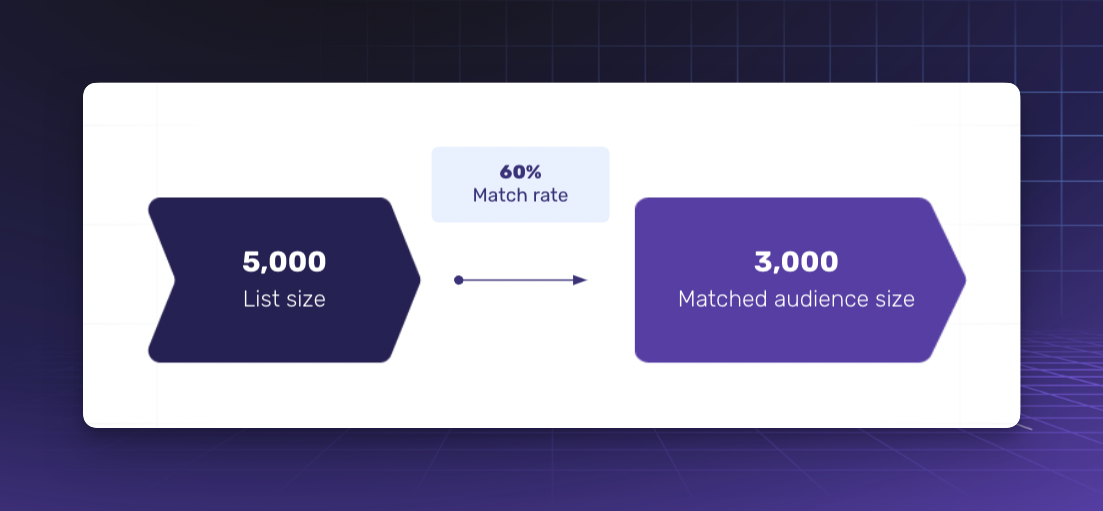
Match rate is merely the number of records found for a certain dataset in a particular ad platform’s database. For example, a 40% match rate on Facebook for a dataset of 100 profiles indicates that 40 of those profiles were found to exist on Facebook.
#### A Better Metric
While match rate can be a useful metric to consider when evaluating audience lists, it should not be used as the sole metric. Instead, we recommend considering other factors such as relevance, size, and targeting when evaluating the quality of audience lists.
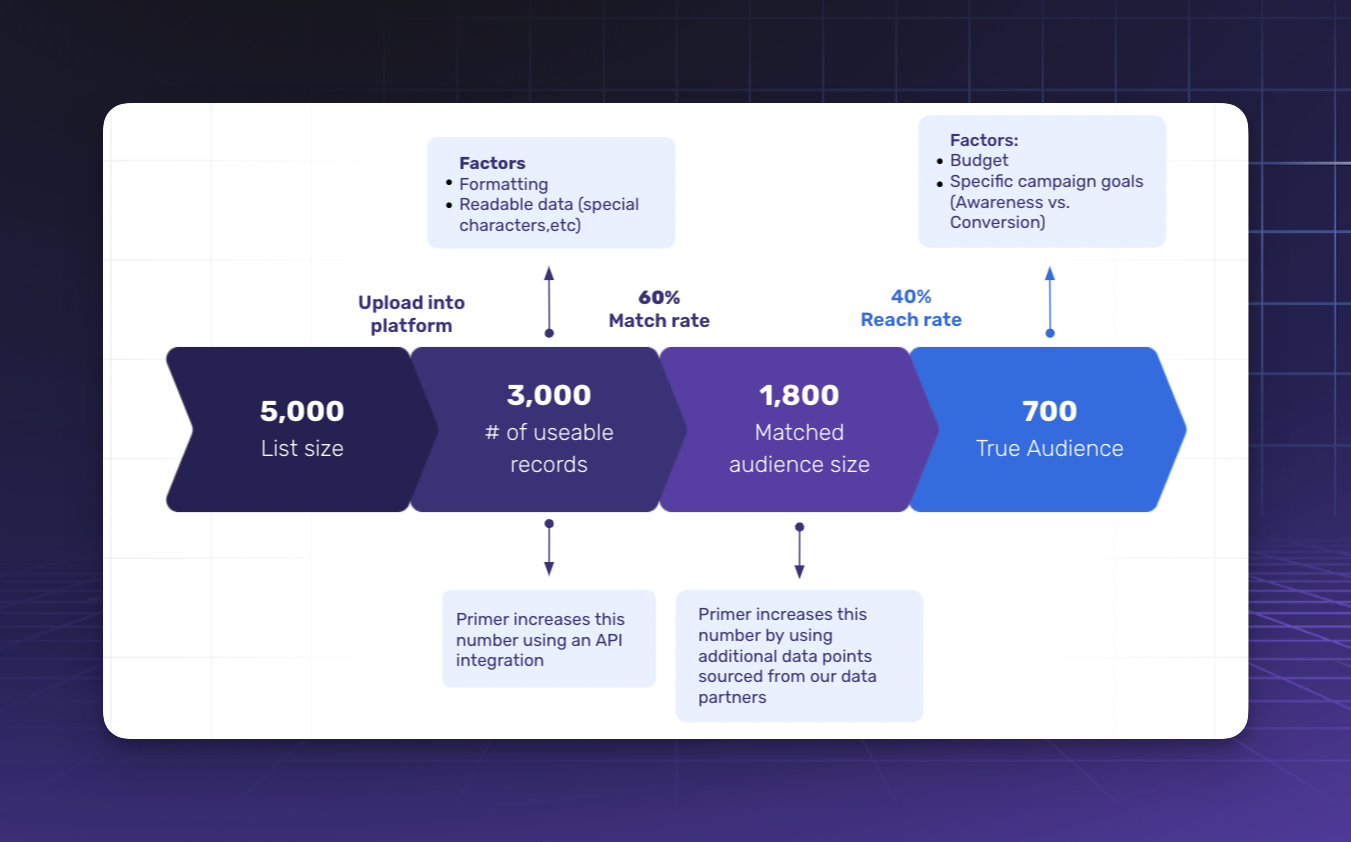
At Primer, we use match rates to gauge **initial** data quality. But we use **reach rate** to measure our true addressable audience. We've included these handy graphics below to help you visualize:
Match Rate
Reach Rate
#### How Primer Defines ‘Reach Rate’
Reach refers to the number of unique people who saw your ad. The reach rate can be calculated by taking the reach of your campaign and dividing it by the total size of your audience. By measuring reach, you can get a better understanding of the size of your audience and the potential impact of your campaigns. This can help you optimize your targeting and budget allocation to maximize the ROI of your media campaigns.
Here are some tactics we use at Primer to increase our own reach rate:
* **Increased budget**
* This allows us to be competitive in the auction for ad space within our desired placements. The more we spend, the more dollars the platform(s) has to work with when bidding within the auction.
* **Adjust your campaign goals**
* More often than not, marketers will run campaigns through Facebook and LinkedIn with the chosen goal of “conversions”. While there’s nothing inherently wrong with that approach, we find that it severely limits the reach of our ads. Instead, we run our campaigns with an “awareness” or “traffic” goal. This allows us to optimize for ad impressions and reach as opposed to forcing Facebook or LinkedIn to optimize for things like form submissions or some other down-funnel action.
---
# Agent Instructions
This documentation is published with GitBook. GitBook is the documentation platform designed so that both humans and AI agents can read, navigate, and reason over technical content effectively. Learn more at gitbook.com.
## Querying This Documentation
If you need additional information that is not directly available in this page, you can query the documentation by asking a question.
Perform an HTTP GET request on the following URL with the `ask` and `goal` query parameters:
```
GET https://support.sayprimer.com/primer/primer-support-legacy/understanding-performance/match-rate-vs.-reach-rate.md?ask=&goal=
```
`ask` is the immediate question: it should be specific, self-contained, and written in natural language.
`goal` is what the user is ultimately trying to achieve, the reason they need the answer. Sharing it helps GitBook give you a better, more relevant answer. A goal is most helpful when it describes the outcome the user wants rather than restating the question. For example, with `ask=how do I create an API token`, a goal like `automate deployments from our CI pipeline` lets GitBook tailor the answer to that use case.
The response will contain a direct answer to the question and relevant excerpts and sources from the documentation.
Use this mechanism when the answer is not explicitly present in the current page, you need clarification or additional context, or you want to retrieve related documentation sections.