> For the complete documentation index, see [llms.txt](https://support.sayprimer.com/primer/llms.txt). Markdown versions of documentation pages are available by appending `.md` to page URLs; this page is available as [Markdown](https://support.sayprimer.com/primer/primer-support-legacy/connections/setting-up-crm/salesforce-integration/troubleshooting-salesforce.md).
# Troubleshooting Salesforce
There are a few common blockers in Salesforce to check for when troubleshooting field mapping, and other functions of your Salesforce connection to Primer.
If you're building an audience and you're not seeing fields you have in Salesforce that you'd like to use as filters in Primer, there are a few common blockers in Salesforce to check for:
#### **Credentials**
It's possible the Salesforce credentials you're using to link to your Primer account don't have access to that field/all fields in Salesforce. Go into your Salesforce account and check the settings for those Salesforce users to make sure they have been granted access to all fields.
#### **Field Visibility**
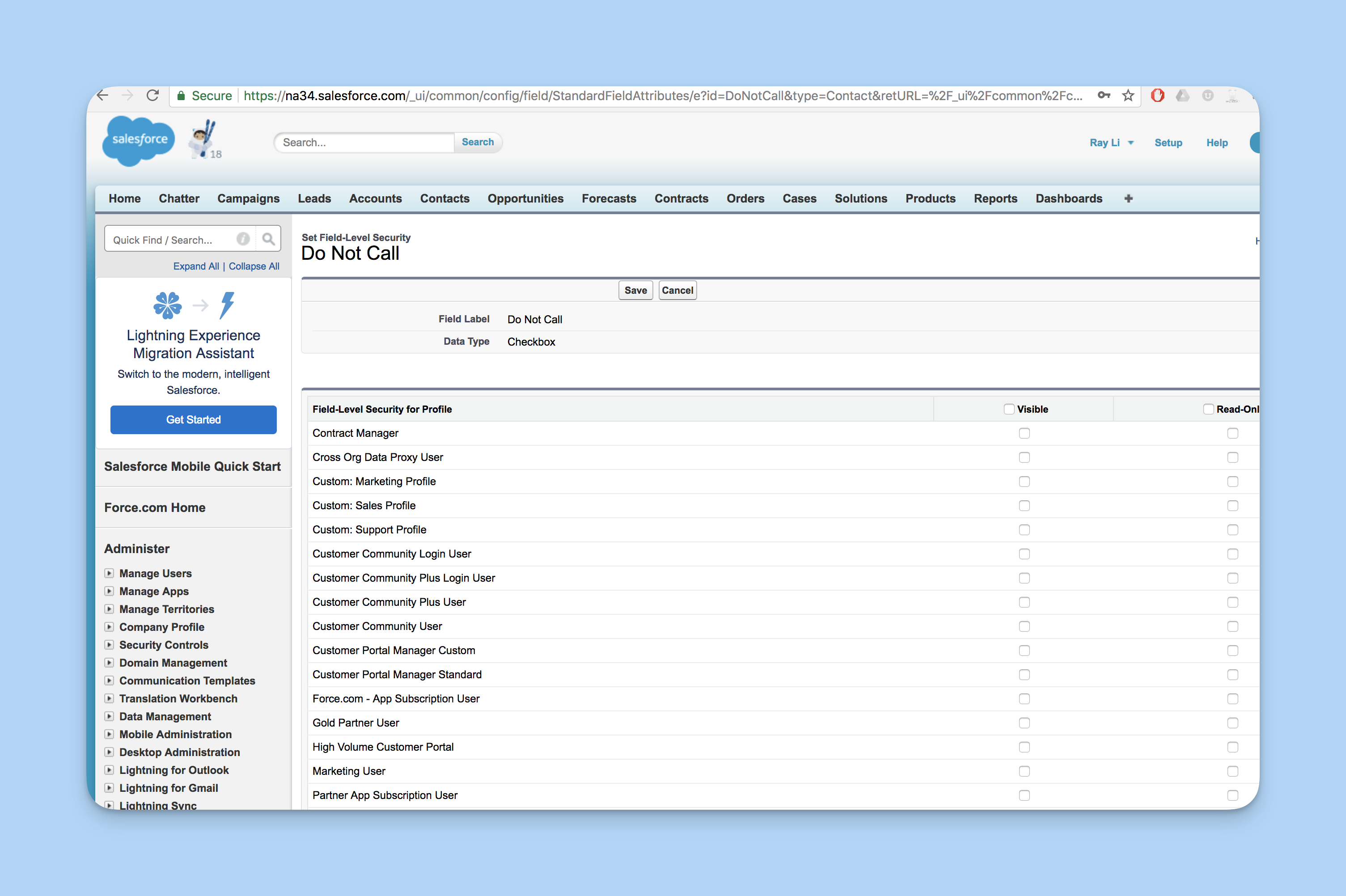
If your Salesforce user credentials check out, check the field itself in Salesforce to confirm it has proper Field Level Accessibility and Field Level Security (be sure to change those settings if your field is set to "Hidden" and/or "Read-Only")
#### Inability to See All Records
When you upload 1st party data (like Salesforce records) into Primer, the system performs an **entity matching** process. This matching ensures that the contacts in your data are accurately identified within Primer's database. The process is akin to a **quality control procedure** that verifies the validity and completeness of the data before using it for audience creation.
Lower-than-expected match rates can occur due to factors such as data quality, incomplete fields (e.g., missing emails or phone numbers), outdated records, or differences in data formats. Primer’s goal is to ensure that only verified, accurate data gets used, which may sometimes result in a smaller portion of your data matching initially.
---
# Agent Instructions
This documentation is published with GitBook. GitBook is the documentation platform designed so that both humans and AI agents can read, navigate, and reason over technical content effectively. Learn more at gitbook.com.
## Querying This Documentation
If you need additional information that is not directly available in this page, you can query the documentation by asking a question.
Perform an HTTP GET request on the following URL with the `ask` and `goal` query parameters:
```
GET https://support.sayprimer.com/primer/primer-support-legacy/connections/setting-up-crm/salesforce-integration/troubleshooting-salesforce.md?ask=&goal=
```
`ask` is the immediate question: it should be specific, self-contained, and written in natural language.
`goal` is what the user is ultimately trying to achieve, the reason they need the answer. Sharing it helps GitBook give you a better, more relevant answer. A goal is most helpful when it describes the outcome the user wants rather than restating the question. For example, with `ask=how do I create an API token`, a goal like `automate deployments from our CI pipeline` lets GitBook tailor the answer to that use case.
The response will contain a direct answer to the question and relevant excerpts and sources from the documentation.
Use this mechanism when the answer is not explicitly present in the current page, you need clarification or additional context, or you want to retrieve related documentation sections.